Module 5
|
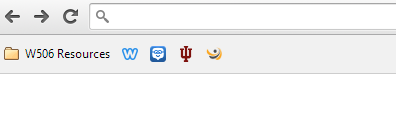
Google Chrome Bookmarking
1. I could use the bookmarking feature to organize resources in different folders for the different subjects I teach. (ie: folders for history, government, economics, etc.) 2. I could require students to have gmail account for my class and bookmark sites that they will regularly use in my class. 3. A folder could be created in order to organize student online work, such as Prezis, Haiku decks, and other links. |
Similar Site Search for the K-12 Classroom
Module 6
|
Ed Tech Blogs/Websites View more lists from Trent Ashcraft |
How I could use List.ly in the classroom
I'm still trying to familiarize myself with Listly, but the concept seems to lend itself to the classroom quite well. One of the challenges for teachers in the modern classroom is encouraging students to use the web for research, while still instructing them on how to differentiate between reliable and non-reliable sources. By creating a list, teachers could put dozens of approved, safe, reliable sources in one spot for students to use when conducting research. Likewise, when students create a citation page for a presentation, a list would be an easy way to show teachers where they found their information. |
Module 7
|
|
Coggle
I used Coggle to create the mindmap to the left. It took a few moments to figure out exactly how to use the tool, but once I watched the tutorial and experimented with the site for a few moments I found it rather easy to use. Ultimately, I enjoyed the layout and appearance of Coogle more than other mind-mapping tools that I have used such as Popplet. This may sound simple, but feel that I utilize technology best when I actually enjoy the tool I'm working with. I think Coggle could be a very useful tool for the classroom. Students could use it for brainstorming before choosing a topic for a research paper or presentation. Groups of students could use it to examine relationships between various historical movements or characters in literature. The user friendly interface and attractive design make Coggle a valuable tool for the 21st century classroom. |
Kidblog
Pros:
1. It's free and easy to setup. Two of the things that prevent teachers from embracing new technology are cost and effort. As a teacher, if I have to convince my school to use their limited funds to buy something for my classroom or I have to spend hours on the front end setting up a new tool and learning how to use it, I'm unlikely to start the process in the first place. Kidblog is free for teachers and a classroom can be setup in just a few minutes.
2. Safety. Online communication can be a wonderful tool for the classroom. However, with so many stories of cyber-bullying and other online student/teacher related concerns, having an online forum can intimidating. Kidblog however, allows teachers and administrators to monitor student activity in a safe and secure environment. This allows students, particularly those in elementary, to learn valuable lessons about digital citizenship and internet safety.
Cons:
1. It's not really free. The basic Kidblog account is free and has many great features, but lacks a few valuable resources that are only available through a Premium account ($29 per teacher). Without the premium account students can not use Google drive with their blog or upload large files. The basic package is free of course, but it also is limited to classrooms to 40 or fewer students. For teachers who teach multiple sections of one class, this could obviously be a challenge.
2. The second con is related to the first. If a school was only able to provide the basic package it would not only be difficult for the teacher, but also would limit the creativity of the students. One of the goals of having students write, be it on a sheet of notebook paper or on a blog, is to allow them to express themselves, to flex their creative muscles, and take ownership of their ideas. While the basic version allows students to write, it limits their ability to personalize their blogs and upload files that help them express themselves.
Pros:
1. It's free and easy to setup. Two of the things that prevent teachers from embracing new technology are cost and effort. As a teacher, if I have to convince my school to use their limited funds to buy something for my classroom or I have to spend hours on the front end setting up a new tool and learning how to use it, I'm unlikely to start the process in the first place. Kidblog is free for teachers and a classroom can be setup in just a few minutes.
2. Safety. Online communication can be a wonderful tool for the classroom. However, with so many stories of cyber-bullying and other online student/teacher related concerns, having an online forum can intimidating. Kidblog however, allows teachers and administrators to monitor student activity in a safe and secure environment. This allows students, particularly those in elementary, to learn valuable lessons about digital citizenship and internet safety.
Cons:
1. It's not really free. The basic Kidblog account is free and has many great features, but lacks a few valuable resources that are only available through a Premium account ($29 per teacher). Without the premium account students can not use Google drive with their blog or upload large files. The basic package is free of course, but it also is limited to classrooms to 40 or fewer students. For teachers who teach multiple sections of one class, this could obviously be a challenge.
2. The second con is related to the first. If a school was only able to provide the basic package it would not only be difficult for the teacher, but also would limit the creativity of the students. One of the goals of having students write, be it on a sheet of notebook paper or on a blog, is to allow them to express themselves, to flex their creative muscles, and take ownership of their ideas. While the basic version allows students to write, it limits their ability to personalize their blogs and upload files that help them express themselves.
|
Quadblogging
1. When teaching multiple sections of the same class as many high school teachers do, Quadblogging could be used to share ideas and create discussions between different class periods. 2. Quadblogging would be a great way to connect students from different parts of the country or from different nations. What is a school like in Australia? How might students in California view a topic discussed in a Kentucky classroom? In short, Quadblogging makes the world a whole lot smaller. |
